How FirmProof works
From client evidence to an approved policy.
FirmProof runs the work a firm needs to deliver cybersecurity and compliance services across its clients: track readiness, record evidence, draft with AI, approve with a named reviewer and deliver under the firm's brand.
Working product on staging with synthetic data, October 2026. Firms and clients shown are fictional.
01
One firm. Every client.
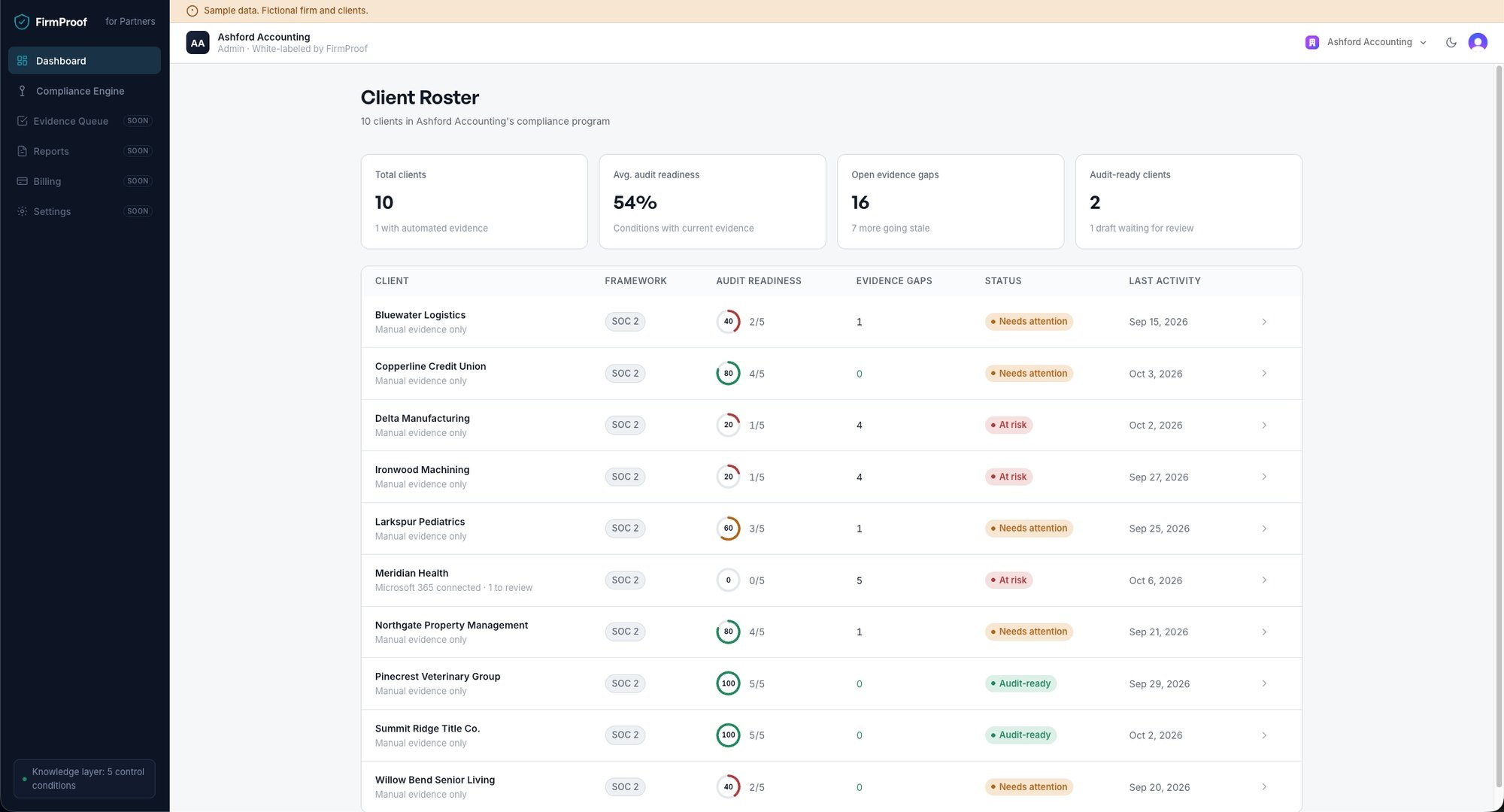
The partner dashboard puts every client in one view: audit readiness, open evidence gaps, evidence about to go stale and drafts waiting for review. The firm can see where the week should go.
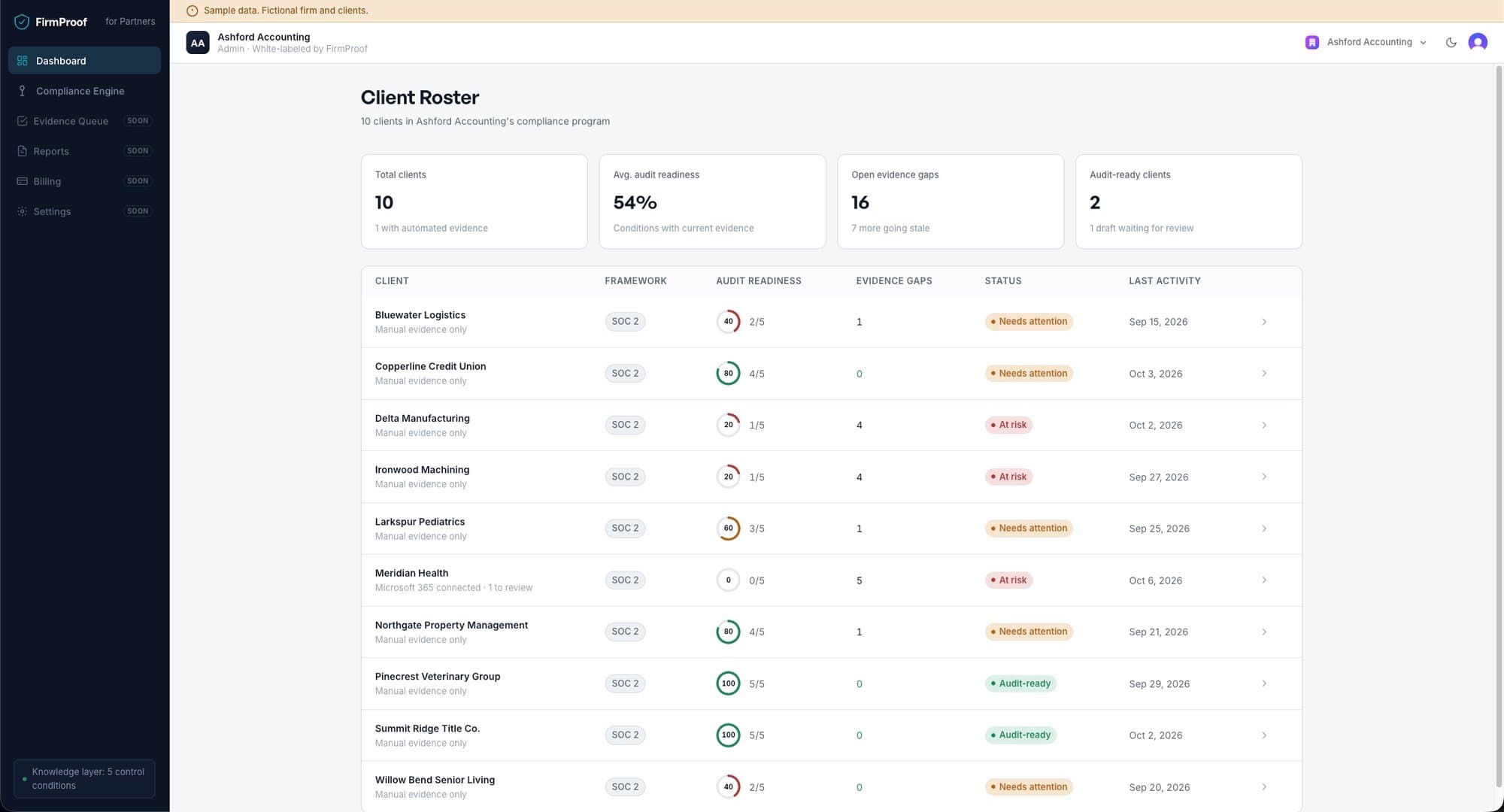
Partner dashboard for Ashford Accounting, a fictional firm with ten fictional clients. 02
Each client in its own workspace.
Every client sits in a separate workspace, isolated in the database with row-level security. Isolation tests run on every change to the code.
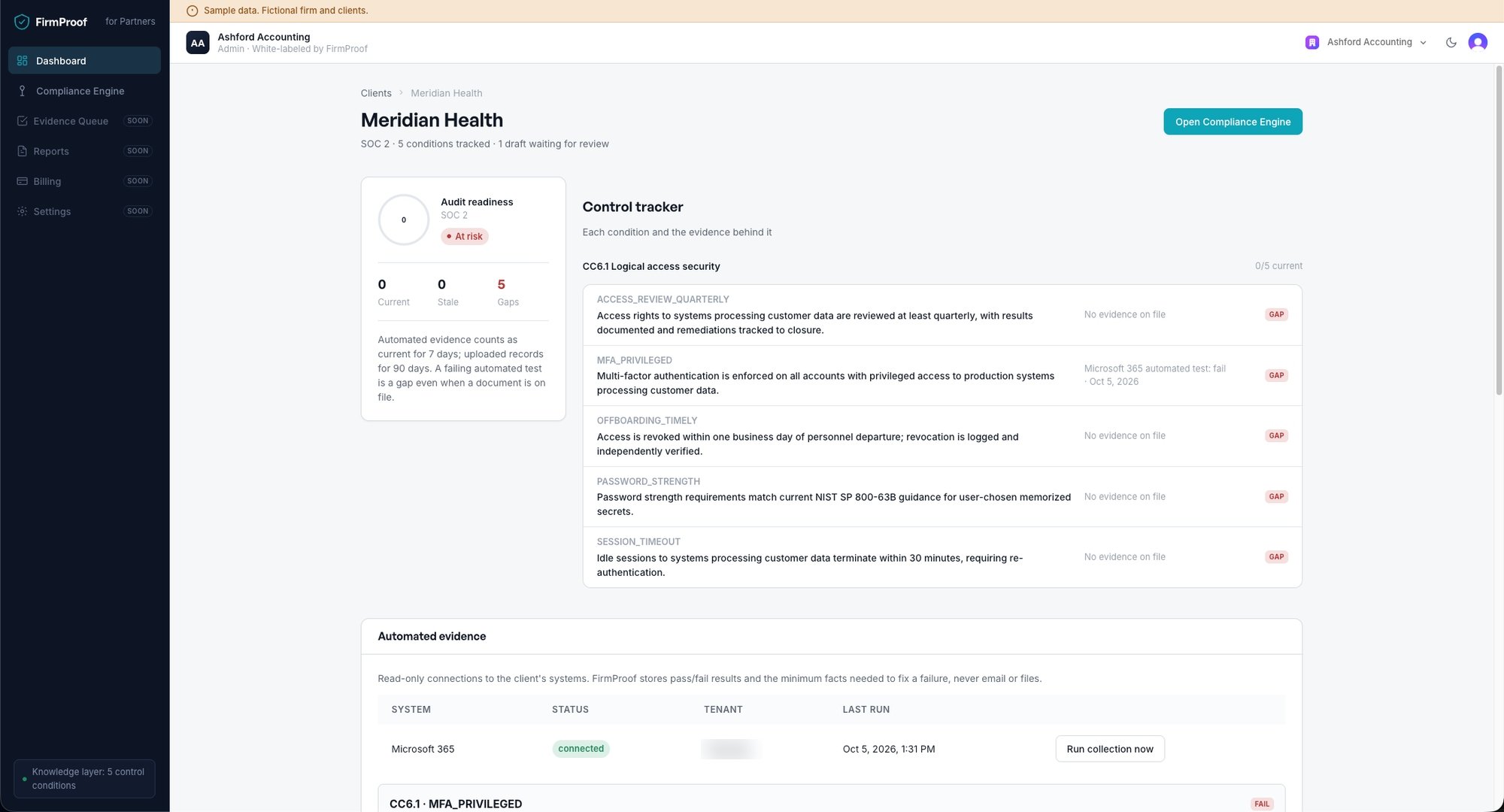
The workspace lists each condition the client has to meet and the evidence behind it. Today that covers SOC 2 CC6.1, logical access security, broken into five conditions. More criteria are planned.
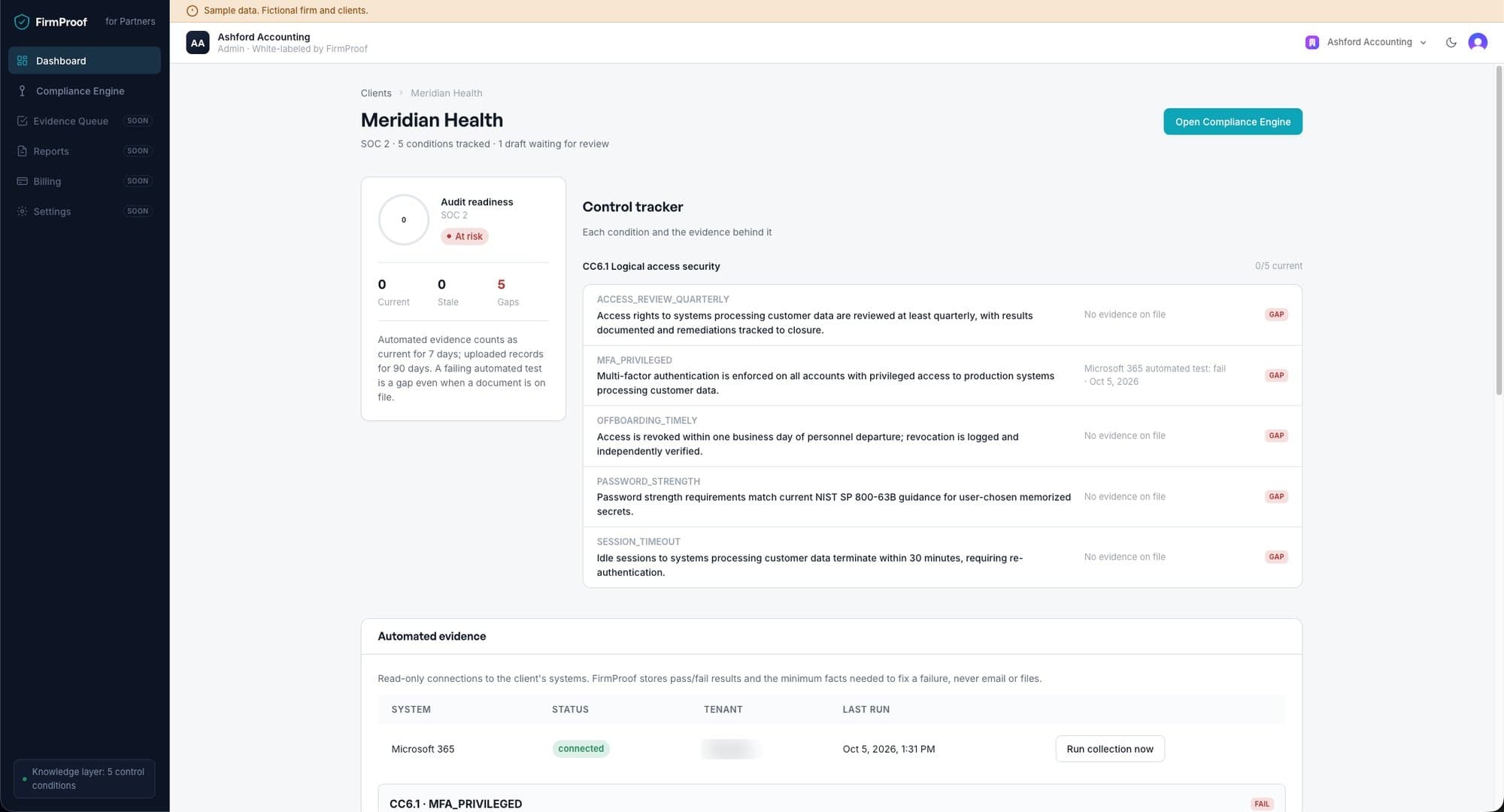
Workspace for Meridian Health, a fictional client, with its CC6.1 control tracker. 03
Evidence becomes proof.
Each condition shows its evidence, where it came from and whether it is still current. Uploaded records count as current for 90 days and automated tests for 7. A failing automated test is a gap even when a document is on file.
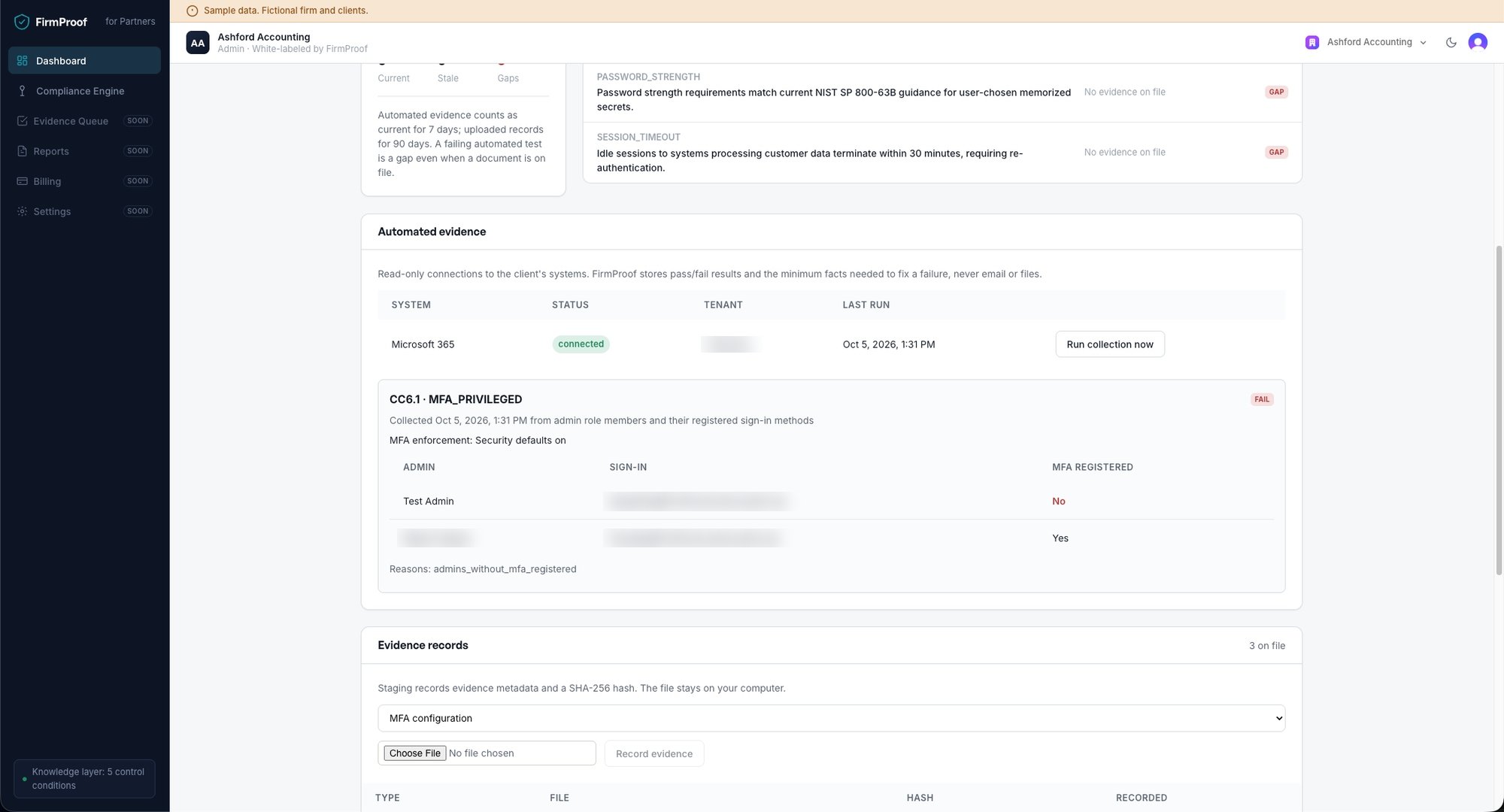
The Microsoft 365 connection is read-only. It checks whether every admin account has multifactor authentication registered, then stores the pass or fail result and the minimum facts needed to fix a failure. For uploaded files, FirmProof records the metadata and a SHA-256 hash, and the file stays with the firm.
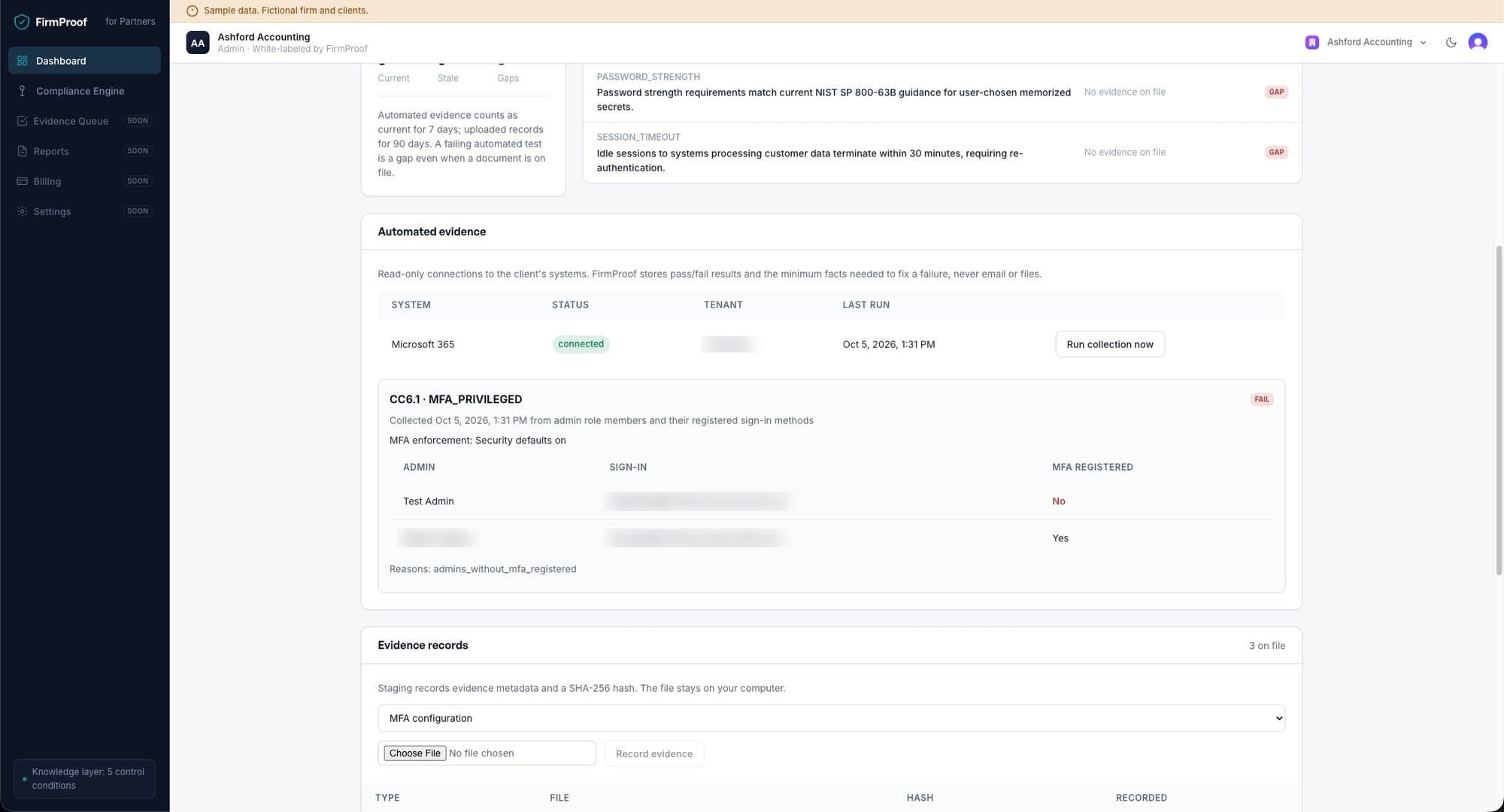
Read-only Microsoft 365 test run against a FirmProof test tenant. Account details are blurred. 04
AI drafts. A named person decides.
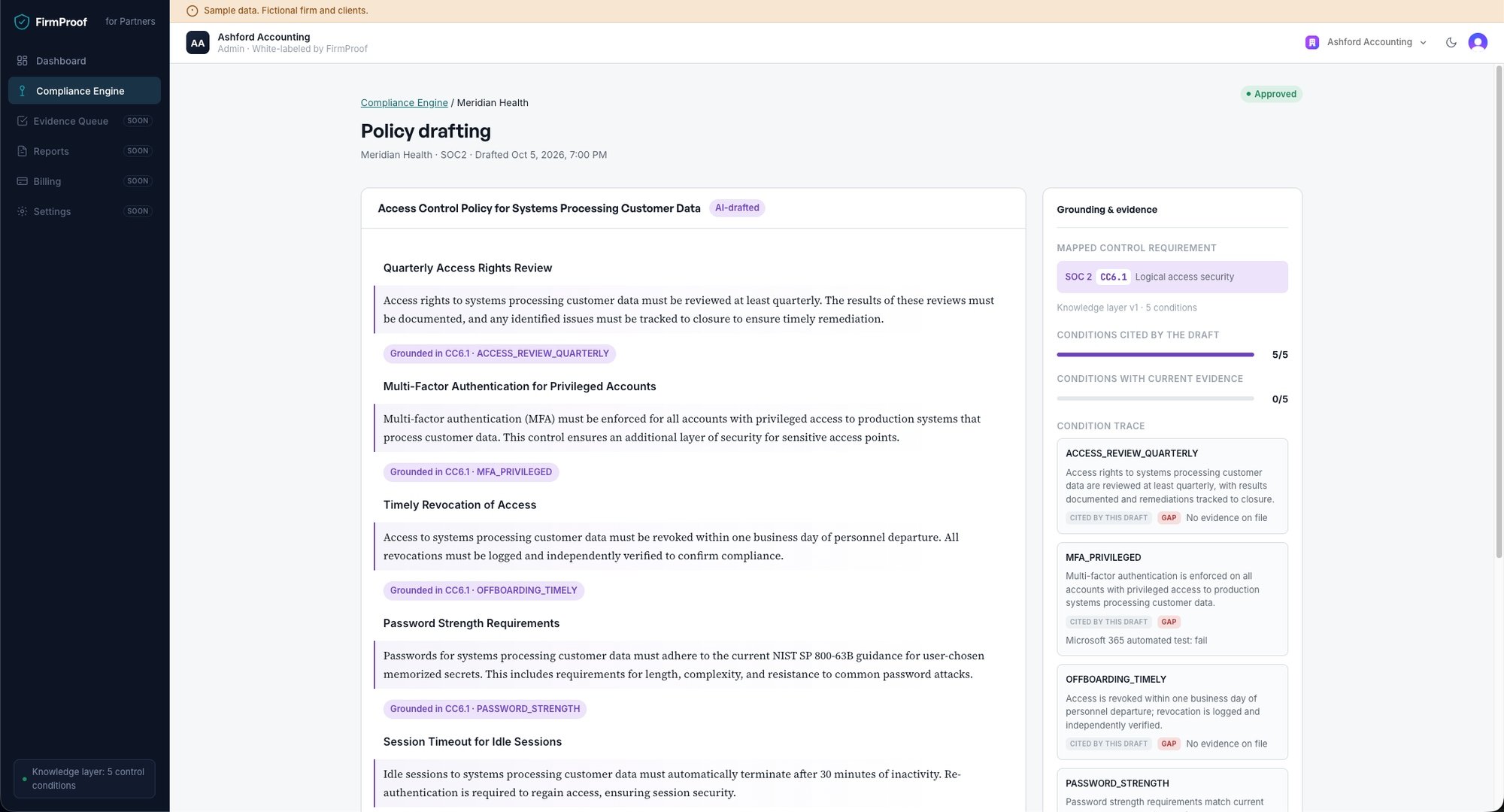
The Compliance Engine drafts policy language from the client's conditions. Every section cites the condition it rests on, and a draft with an ungrounded section cannot be approved. Each draft records the model version, the prompt hash and the conditions it used.
A named reviewer at the firm approves the draft or sends it back with a note. The database enforces that approval, and every decision lands in the audit log.
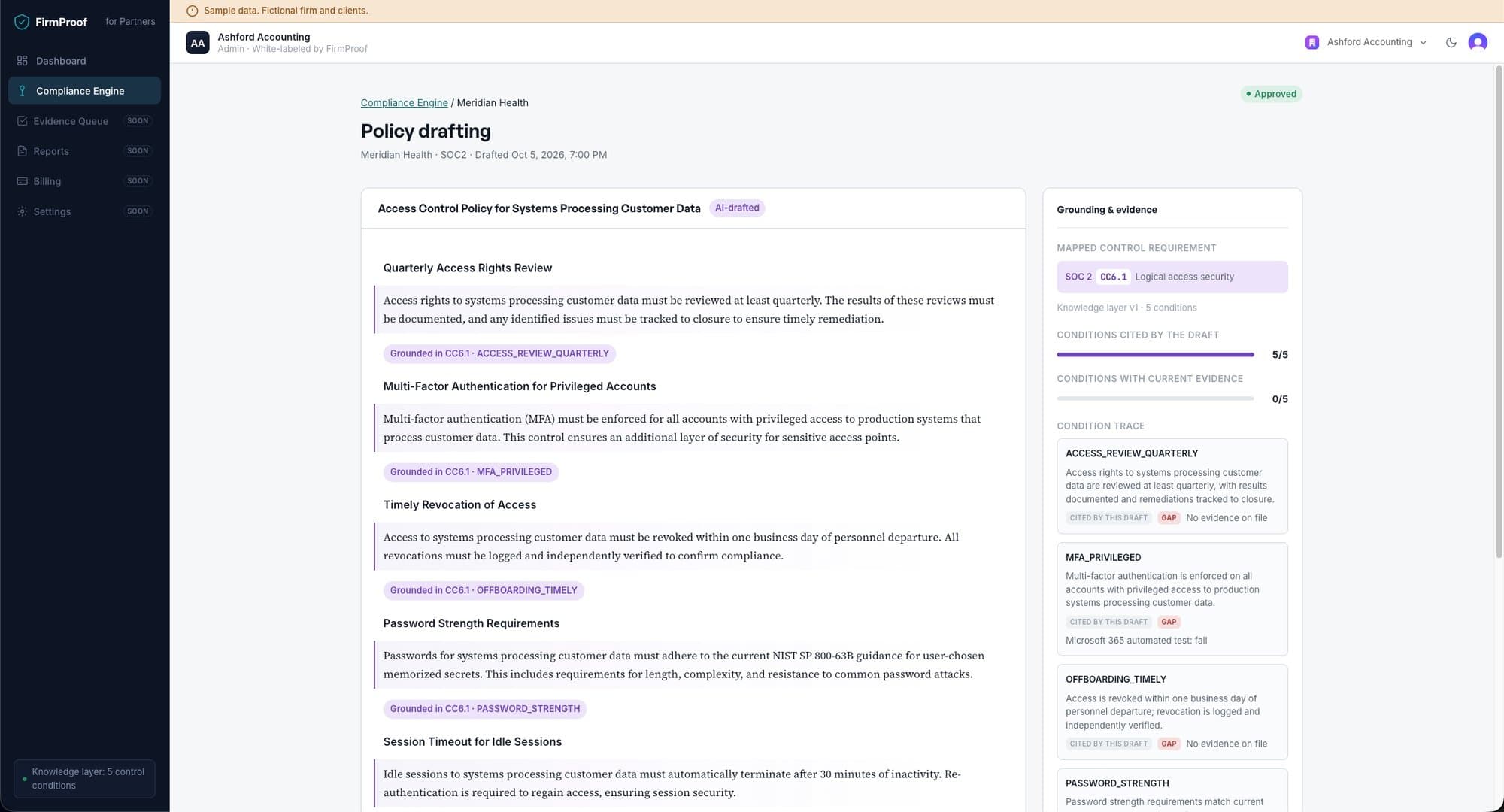
An approved access control policy for Meridian Health. The panel on the right shows which conditions each section cites and which have current evidence. 05In build
Every version on the record.
Policies will carry numbered versions, a record of what changed between them and the name of the person who approved each one. Screenshots will follow when it ships.
06
Your brand reaches the client.
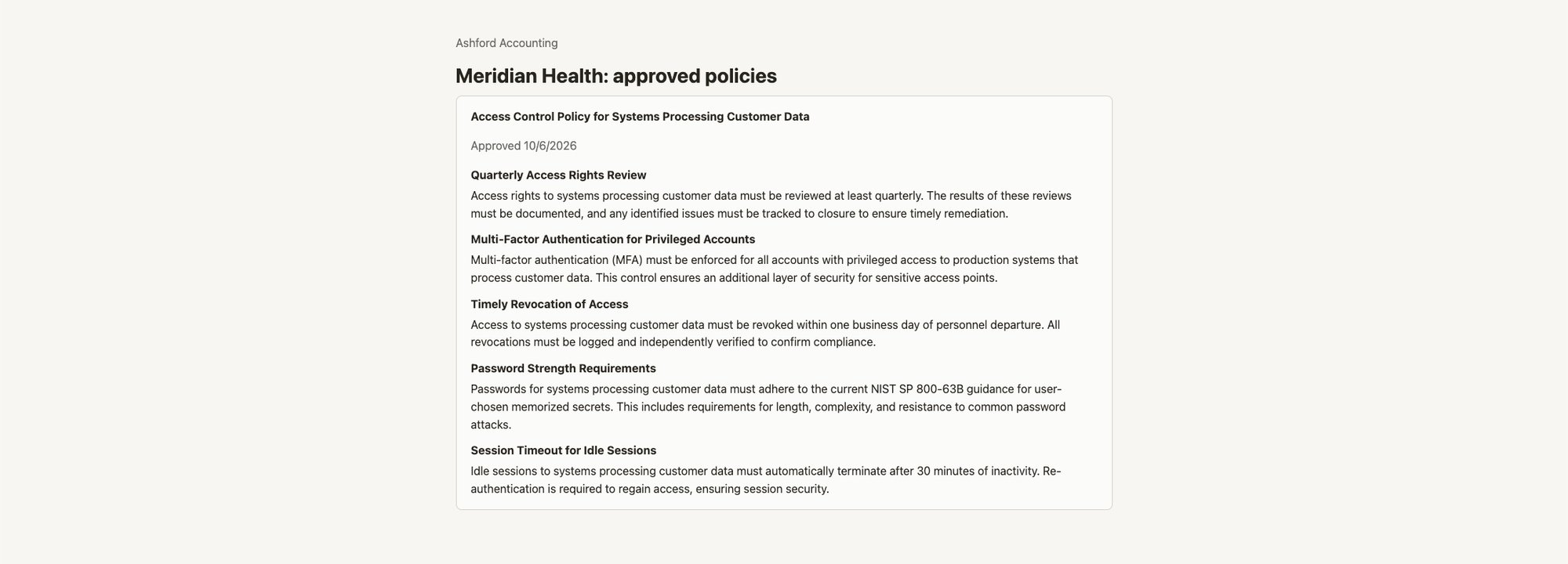
The client opens a secure link from the firm and sees approved work only, under the firm's name. Drafts stay in the firm's console.
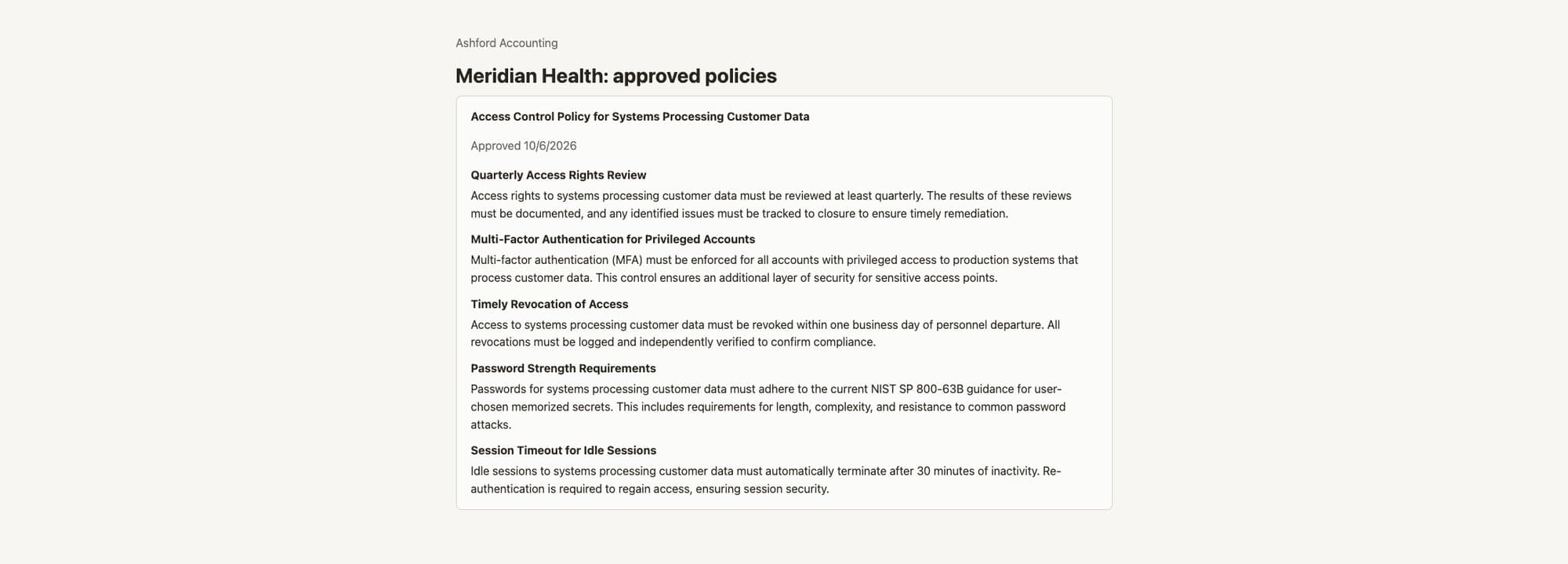
Client portal for Meridian Health, opened from a link the firm issued.
Shape what it covers next.
Design partner firms work with the founder for 90 days and help decide which frameworks, connectors and reports come next.